What’s supported
Supported actions
This connector supports:- Proxy Actions, using the base URL
https://api.linear.app/graphql.
Example integration
To define an integration for Linear, create a manifest file that looks like this:Before you get started
To connect Linear with Ampersand, you need a Linear Account. Once your account is created, you’ll need to create an app in Linear and obtain the following credentials from your app:- Client ID
- Client Secret
Creating a Linear App
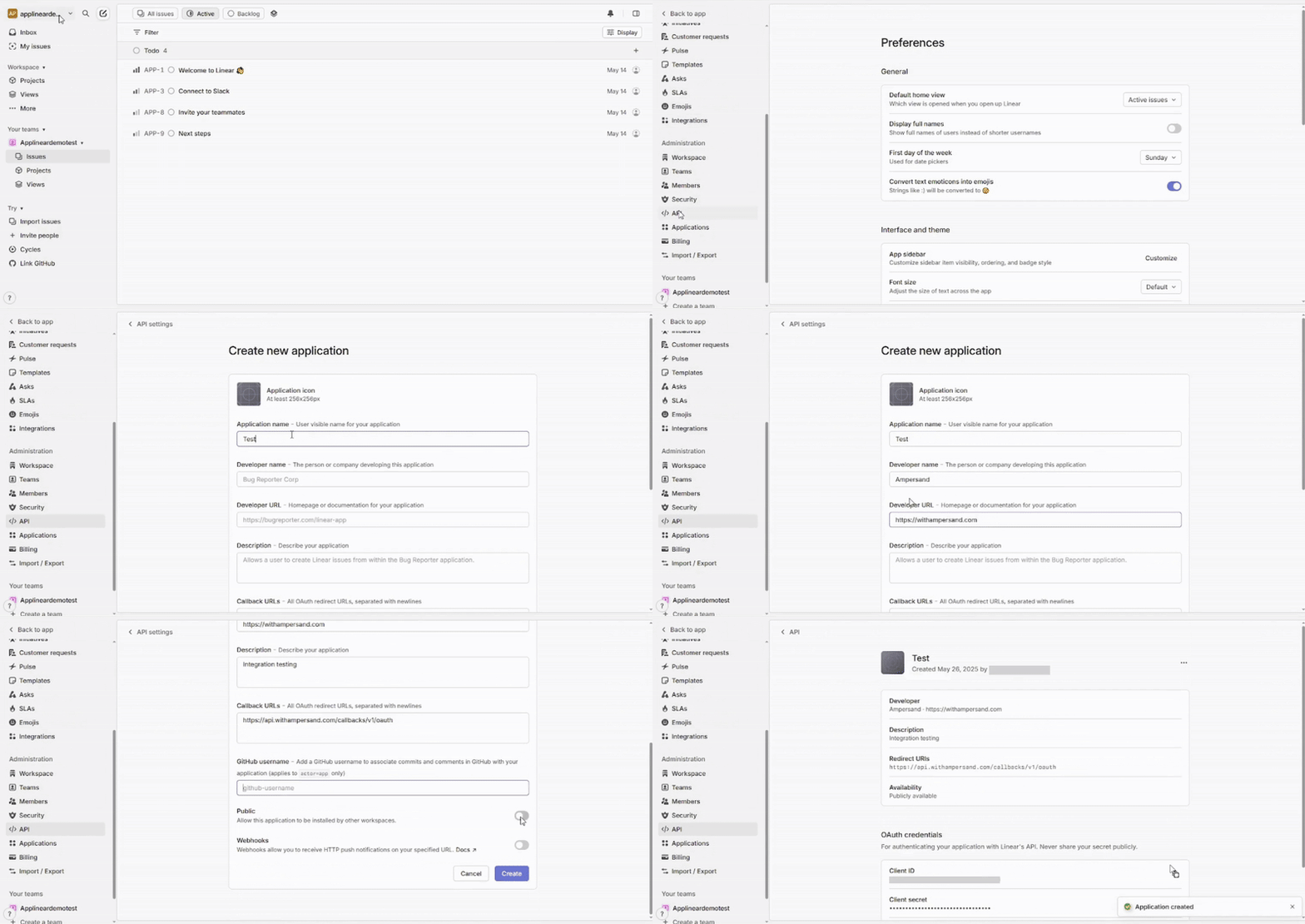
Follow the steps below to create a Linear app.- Log in to your Linear account.
- Once logged in, Click the dropdown next to your workspace name in the top-left corner, then select Settings from the menu.
- Navigate to API menu under Administration section.
- Click New OAuth Application.
- Upload an icon for the application with a minimum resolution of 256x256 pixels.
- Enter the Application name, Developer name, Developer URL and Description in the respective sections.
-
Enter the Ampersand Callback URLs:
https://api.withampersand.com/callbacks/v1/oauthin the Callback URLs section. - Enter the github username in the GitHub username section.
- Enable the Public option which leads to allow a application to be installed by other workspaces.
- Enable the Webhooks option to receive HTTP push notifications on a specified URL and then click Create button.
Add Your Linear App Info to Ampersand
- Log in to your Ampersand Dashboard.
-
Select the project where you want to create a Linear integration.

- Select Provider Apps.
- Select Linear from the Provider list.
-
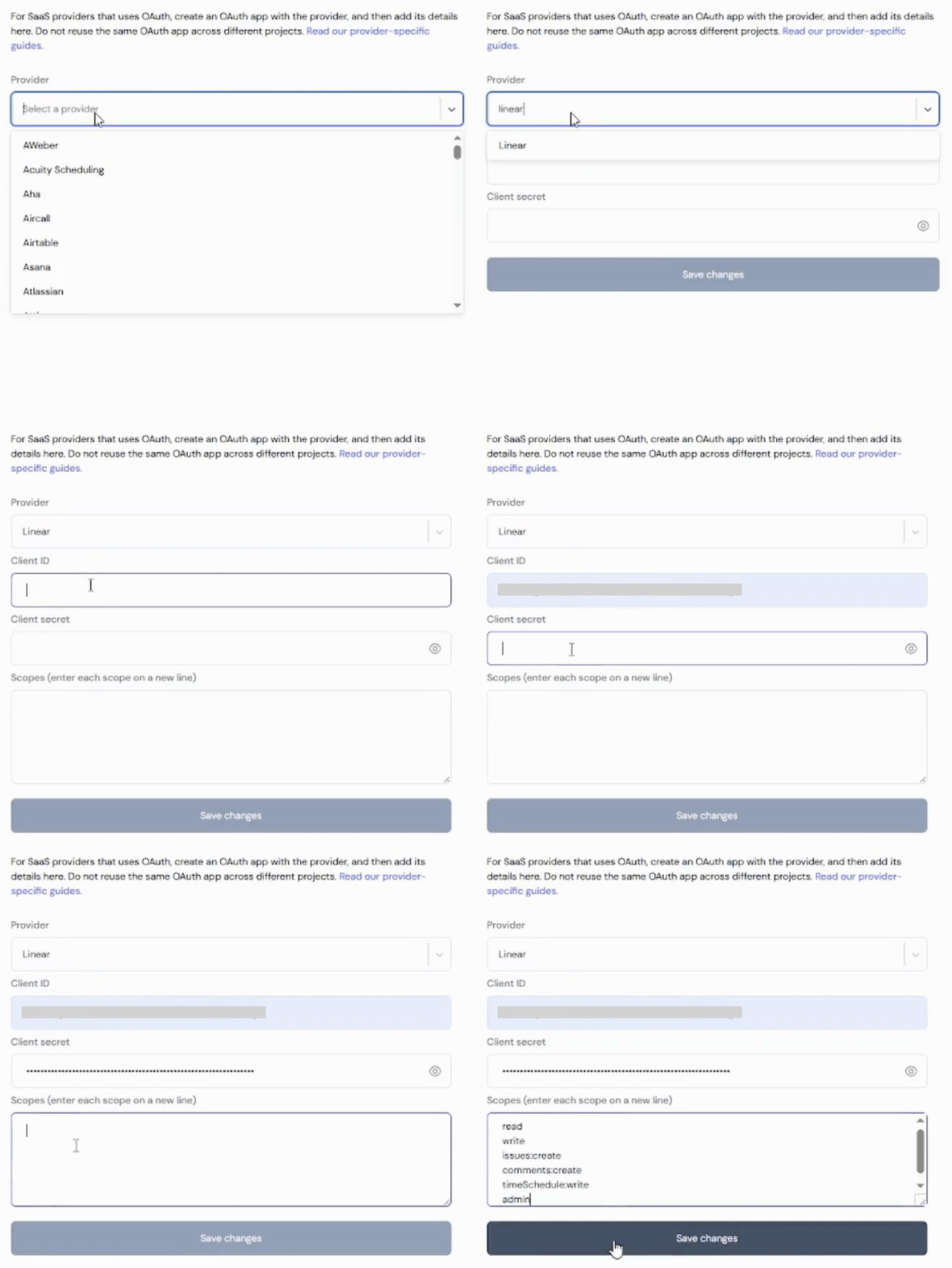
Enter the previously obtained Client ID in the Client ID field, the Client Secret in the Client Secret field and scopes in the Scopes field.